Friday, July 3, 2009

AppRemover

OK, I have to say it! This is the BEST remover of wierd anti-virus/spyware/malware tools there is. It just plain works, no hassles and after a reboot, all gone. Get this if you do or help your family and friends with all the crazy stuff they do. From the site:

About AppRemover
AppRemover™ is a software application, developed by OPSWAT, Inc, that enables the uninstallation of security applications such as antivirus and antispyware from your computer.
For technology vendors seeking additional technical information please visit: http://www.opswat.com/appremover.shtml or read the FAQ.

Downloaded 96240 times
Easy to use. Once downloaded, simply double-click the AppRemover icon. AppRemover will uninstall any detected antivirus and antispyware applications on your computer.

Licensing AppRemover
If you are interested in a commercial or OEM license for AppRemover, please contact sales@opswat.com.
AppRemover is free for your personal, non-commercial, use.
If you wish to deploy multiple copies of AppRemover within an organization or entity, or if you wish to bundle AppRemover with hardware or software or other services, please contact OPSWAT to obtain a commercial license.
Your use of AppRemover shall be in accordance with and is subject to the terms and conditions set forth in the AppRemover License Agreement that accompanies AppRemover.
Use AppRemover:
- When replacing one security application with another
- When competing security applications tie up your computer
- When the application's built-in uninstall process fails
- When you have forgotten the application password

Uninstall the following application types:
- Antivirus
- Antispyware

AppRemover is spyware and virus free.
- Scan it for malware at www.filterbit.com

How to uninstall the Adobe Flash Player plug-in and ActiveX control


Not really an Online Tool, but important. Here's where you can reset-uninstall the Adobe Flash and bazillion other tools they offer and want to install if you want to start over. I use this tool and it does work well. From the site:

"Due to recent enhancements to the Adobe Flash Player installers, you can now remove the player only by using the Adobe Flash Player uninstaller. To remove Flash Player, simply download and run the appropriate uninstaller for your system using the steps below.
  1. Download the Adobe Flash Player uninstaller:
  2. Save the file to your system, choosing a location where you can find it (for example, your desktop). Macintosh users may need to open or unstuff the .hqx file.
  3. Quit ALL running applications, including all Internet Explorer or other browser windows, AOL Instant Messenger, Yahoo Messenger, MSN Messenger, or other Messengers. Check the Windows system tray carefully to make certain no applications are still in memory which might possibly use Flash Player.
  4. Run the uninstaller. This will remove Adobe Flash Player from all browsers on the system.

Note: The uninstaller cannot remove files currently in use.

If you have any instances of the player open in your web browsers, instant messaging clients, stand-alone SWFs, or projectors, then the uninstaller will complete but some files may not be deleted. If this occurs, then close all of your applications and run the uninstaller again to ensure that all files are removed.

Note: Internet Explorer users may have to reboot to clear all uninstalled Flash Player ActiveX control files. If you're not certain, select the "Show Details" button in the Flash Player uninstaller. If there are any log lines that begin with "Delete on Reboot..." then you'll need to reboot BEFORE running the Flash Player installer again."

This tool has saved me countless hours, I highly recommend it...

Trip-N-Tale

I don't travel as much as I used to, but if I did - I would probably use this site to keep my friends and family up to date. Here's the info from the site:

Showcase and Share Your Trips!

TripnTale.com is the best place to showcase where you have traveled with maps, photos, videos and journals.

Your travel memories are precious
http://www.tripntale.com/#
* Thousands of travelers are sharing their trips every day at TripNTale

* Use our free unlimited storage to back up your photos, videos and journals.

* Discover cool places and Connect with other travelers.

Simply upload all your photos, videos and journals in batch and you'll get a free travel map and slideshow.

Wednesday, July 1, 2009

SharesPost


This is WAY TOO new to really evaluate, but I wanted to pass it on. From what I can tell, it's another great idea that well, may or may not make it. As always, do your research before investing any anything, but again - this looks like a great idea. From the site:

About Us

Welcome to SharesPost. Here is an overview of who we are and what we've set out to do.

THE PROBLEM WE’RE TRYING TO SOLVE

Just about everyone in the private equity industry recognizes that some fundamental problems jeopardize the prospects for the industry’s participants. Many limited partners need to liquidate substantial portions of their private equity holdings but can’t find an efficient way to do so. Venture capital firms are unable to show attractive ROI’s in large part because there is no liquidity on public exchanges into which even their strongest portfolio companies can exit. Founders who have built successful companies for over a decade find their entire net worth still locked up in a single, illiquid asset. Companies have no way to divest shareholders clamoring for a quick sale despite the companies’ great long term prospects. Regulators, in an effort to create greater transparency, have required funds to mark their assets to “market” but, given there actually is no real market, have left everyone scratching their heads.

The central deficiency giving rise to these dilemmas is the absence of an efficient secondaries market for private equity. If buyers and sellers could find each other efficiently and in volume then LP’s and venture funds could find buyers for their equity, founders could gain some measure of diversification and liquidity, companies could create a shareholder base united around a long term vision for growing the enterprise and regulators (and the rest of us) would finally see what price a willing buyer and willing seller would put on a company’s shares. As Fred Wilson of Union Square Ventures said: “[t]he efforts of a few brave souls to create secondary markets for private company stock is going to lead to more data, more transparency, and more liquidity without having to register and do an IPO or sell your company.”

At SharesPost, we set out to solve these problems while complying with the letter and spirit of the securities laws and protecting the interests of companies, investors and entrepreneurs. It’s a big problem and it requires us to balance some competing interests, but we think we’ve done it. SharesPost is all about making private equity liquid.

WHO WE ARE

SharesPost was founded by Greg Brogger in early 2009 with a small team from BrightHouse, the Santa Monica based incubator. Greg has been both a successful entrepreneur and a securities lawyer in the past and draws upon both of those experiences in the building of SharesPost. Our company was launched with the support of a community of distinguished entrepreneurs, venture capitalists, industry luminaries, securities lawyers and technologists. This larger group came together in part of course to build a successful and valuable company but also to rally around the bigger vision, to introduce a much needed liquidity solution for the private equity industry.

CONTACT US

We welcome your input at SharesPost, so please tell us what you think – click here to email us.

STAY AWAY FROM (Insert ad here)

Or whatever they are calling it today. DO NOT and I'll say it again....DO NOT buy into any type of blah-blah-blah offering you a bazillion dollars income from posting Google Ads or anything remotely similar. Do you really think you're going to make money by giving someone else a buck or two for some secret formula? Really...do you? Yes, you can make money using Google and others, but it's going to cost you a bunch of sweat equity - not a dollar.

What you're going to end up with is a charge to your credit card or bank account for somewhere between $30 - $100 each and every month for something you never wanted in the first place. Please (super-please) read each and every bit of fine print before falling for such things.

Just a friendly reminder. Oh and by the way - when you read the ad for these things, notice how the person in the ad just happens to live in or near your city. You think that's a coincidence? Nope, just creative web programming. Ask your brother, sister, mom, uncle or whatever to type in the address of the ad and see where that lucky millionare person lives....yep, probably the same person (only local to them).

Again, just pass on this junk...

LogMeIn

This post is for my clients who know I use this really fine tool, but don't necessarily understand what it's all about. Basically, if you want to sit at your desk in the office from home, this is what you need. Believe me, I've tested every single remote access solution out there and this by far is the easiest to use. I prefer some other more complicated solutions just because of what I need to do, but if you want hands-down-simple access to work from home or home from work, this is the way to go. Oh yea, did I mention it's mostly free? (Free as in there are a few things you can't do without paying, but for the most part...it's free). If by chance you need help getting this thing working and are having problems....drop me a line. It'll literally take me 60 seconds to tell you how. From the site they say....

"What if you could access your personal computer at any time, from anywhere with an Internet connection - from work, vacation or the road?

With LogMeIn, you can access your personal information securely and transfer files on the fly.

You can use your personal computer as if you were sitting right in front of it and run the programs you use every day. You can play games, stay connected with friends and family, manage photos, check email, administer your personal finances, print and share files, even listen to music."

IRS Withholding Calculator

Umm, do I need to say anything about this? It's handy if you need it and free.

Sunday, June 28, 2009

Free Internet Access (kinda)

Yea, this is exciting and all to have free internet access, but be warned. I've tried many of these in my travels and most want to install some type of funky toolbar or bombard you with banner ads. They are usually ok in a pinch, but stick to free hotel or restaurant wi-fi if you can. From the site:

All Free ISP is the fastest way to find a cheap or free internet access service provider in your local area. With this comprehensive database of free isp local dialup access numbers, you can quickly find all free internet service providers in your local calling area throughout the USA and Canada. We also provide detailed information and ratings for each free isp to help you compare the free ISPs and select your new free internet access provider. Plus, All Free ISP now includes a selection of full-service, discount ISPs!

Finally, finding a discount / free ISP is as easy as 1, 2, 3.

Saturday, June 27, 2009

Spreadsheet Templates, Calculators, and Calendars

I've been a big fan of DocStoc for awhile, but find myself using this more and more. From the site:

Vertex42™ is a leading provider of Excel templates, financial calculators, and calendars. We also host The Excel Nexus - The ultimate directory of 3rd-party Microsoft Excel® resources, including add-ins, templates, tutorials, and consulting services.

Friday, June 26, 2009

Kongregate - Total Time Waster, But Tons of Fun!

Not much more to say. From the site:

At Kongregate we're building the leading site to play games - or to make them. We have thousands and thousands of the best free games, and our community features mean that playing them here is more satisfying than anywhere else. If you do well in our games you'll earn badges, level up, and gain the respect of your friends. Profiles, chat, comments, private messages, and forums make it easy to exchange game tips or just relax in the company of enthusiastic gamers from around the world.

We know that making great games isn't easy and our mission is to help indie developers make better games and earn more money doing it. We share advertising and microtransaction revenue with game developers - and they retain full rights to their games. With features like multiplayer support, persistent data storage, high scores, and statistics, we take care of a lot of the headaches involved in game development.

Uploading a game is quick and easy - the best rated games make it to the homepage and get millions of plays. For developers just starting out, our community features are great for getting quick feedback on what works and what doesn't.

To learn more about Kongregate and our plans, check out our FAQ, or read some of the very nice articles that other sites have written about us.

Pricewatch


I've used Pricewatch and even spent a bazillion dollars to advertise way back when I had my computer store. I was always pleased with the service as a distributor but now find myself using them for regular consumer purchases. I've yet to have a bad experience with any of the vendors listed (but always be careful because they do have to pay a fee to be listed). Anyway, I saved a bunch today when looking for a memory upgrade for my daughter's notebook. Total price with free shipping was $14.98 (Normal Mail 5-7 days). Yea, fifteen bucks and the best price I got from Newegg was $48 plus shipping. I've never heard of the company I ordered from, but a very nice CSR called me on the phone within minutes to verify everything (they probably spent more on the phone call than profit on the memory). I'll let you know how everything goes but if they deliver what they promise, I'll probably be ordering more pieces/parts from them in the future. Note they are located in NY (which really doesn't mean anything) and I've had some bad experiences with online NY companies. Again, I'll keep you posted...Here's the quick info from the site:

Edit: Here's a bigger/better screen cap from the site which will give you a better idea of what they do/sell/provide:

Search Engine Land


I love this site (and it's quite geeky). It's not really an online tool, but these folks always have the latest scoop on what's happening in the "Search Engine Land". From the site:

"Welcome to Search Engine Land! Search Engine Land is a news and information site covering search engine marketing, searching issues and the search engine industry.

The site is led by journalist Danny Sullivan, who has been covering search for the past 11 years. It is published by Third Door Media, which also produces the Search Marketing Expo conference series and the Search Marketing Now webcast events."

Edit: Apparently Google is um, how shall I say...'worried' about Microsoft's new search engine Bing. I'm not so sure they are worried as much as they may have finally found a competitor in that space. I personally use google, but do find myself using Bing more and more....for what it's worth.

Do Stuff for Money

I haven't tried this yet (but a long-time paypal user). My friend sent this link to me this morning and it sounds interesting....but, I'm always careful with this sort of thing. From the site:

What is Do Stuff For Money?

Do Stuff For Money is a PayPay-sponsored site that allows friends to send each other offers via email, real or fake, to do pretty much anything.
Do Stuff For Money is meant to be a fun way to get your friends to do things...for money. But just in case you get stuck on your offering path, we've created this helpful question and answer section to aid you on your way.

How does it work?

Simply type in your first name; the first name of someone you want to send an offer to; the dollar amount you want the recipient to get if they complete the task you propose; and the task you want them to do for you. Once you've completed the form, click on the "Send Offer" button and we will ask you for your friend's email address so we can send them a link to view your offer.

I received an offer, what do I do now?

If you've received an offer from someone, you'll have the option to accept it or decline it. If you decline it, you don't need to do anything else and we will notify the sender. If you accept it, we will let the sender know and it will then be up to them to pay you for completing your end of the offer.

How do I actually pay a person if they accept the offer?

Log in to your PayPal account and go the Send Money tab. Enter in the information and click on the Personal tab/other to send them the money.

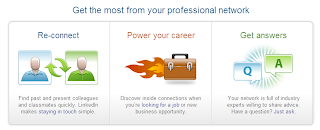
Linkedin - Relationships Matter

I joined almost 6 years ago when they were first starting and really haven't used it much because I couldn't get others to use it?!? Seems like now they are a "real player" and I'm going to revisit...from the site:


Syncplicity

Like (kinda) DropBox, Syncplicity has a few more options. I use both for different reasons/functions. From the site:

What is Syncplicity?
Computer files are unruly creatures. They make you go out of your way to back them up. They demand you remember to copy them to USB drives or email them to yourself so you have them handy. They don’t like being deleted or overwritten and will never come back if that accidentally happens. And the big ones – the worst of their kind – don’t fit everywhere (especially email!) and make sharing them or collaborating on them with others painful at best, impossible at worst.

That’s why we created Syncplicity. Syncplicity puts an end to all the hassles that surround your files and your data, protecting them and ensuring you always have them everywhere you need them – without doing a thing.

What does Syncplicity do?
Syncplicity backs up all your files, keeps them synced and up-to-date across all your computers and computers of people you’ve shared them with, allows you and your friends to access them online (even if your computers are turned off), and can even sync them with Facebook and Google Docs.
In other words, the days of copying, burning, emailing, uploading, downloading, and especially losing your files are now nothing more than a distant memory.

Who are you and why should I trust you?
Take a look at our About page and poke around our Forums to get to know the company better. We started Syncplicity over a year ago with a vision to simplify today’s tedious nature of dealing with files. Our passion is finally becoming reality.

We designed our service and our product with privacy and security in mind from the very beginning. Take a look at our comprehensive Privacy Policy that covers not just your personal information, but also all the data you’re storing in your Syncplicity account. And click here to read a bit about how we encrypt and secure your data from start to finish.

DropBox

Can't say enough about this one. I use it daily...From the site:

If you...

email files to yourself

want to share large files but can'trely too much on USB drives

need automatic backup of documents

want to access your files anywhere

want to share photo albums

then this is for you and free up to 2G

Thursday, June 25, 2009

Thinkmap Visual Thesaurus

Woha Nelly...this is neat! I know my daughter (college student) is going to love this...

You can use a lot of the 'Free' stuff, but for more advanced services/options, it's going to cost you. Not much if this is a tool you really need and are a professional writer, but it's the free stuff I personally would use occasionally.

From the site:

How does Vocabgrabber work?
VocabGrabber analyzes any text you're interested in, generating lists of the most useful vocabulary words and showing you how those words are used in context. Just copy text from a document and paste it into the box, and then click on the "Grab Vocabulary!" button. VocabGrabber will automatically create a list of vocabulary from your text, which you can then sort, filter, and save.

Select any word on the list and you'll see a snapshot of the Visual Thesaurus map and definitions for that word, along with examples of the word in your text. Click on the word map or the highlighted word in the example to see the Visual Thesaurus in action.
Want to try it out? Click on one of our sample texts to fill the box and start grabbing!

How can I view my vocabulary list?
After you grab the vocabulary from a text, you will see a list of words and phrases in "tag cloud" view. In the default view, words in the vocab list are arranged by relevance (more on that below!). In the tag cloud, words that appear most frequently in the text are displayed in a larger font size. The color of the words is based on whether they match one of our seven subject areas (Arts & Literature, Geography, Math, People, Science, Social Studies, Vocabulary).

You can also choose "list" view, which will give you the vocab list in a table, with columns displaying each word's subject areas, relevance score, and number of occurrences in the text. Or you can select "gallery" view, displaying a thumbnail image of each word's map in the Visual Thesaurus.

How can I sort my vocabulary list?
Above the word list you'll see four different sorting options: Relevance, A-Z, Occurrences, and Familiarity. By default the words are arranged from most relevant to least relevant. The other options allow you to sort your list alphabetically, by number of occurrences in the text, or by how familiar the words are in written English overall. To reverse any of these orderings, just click on the name of the option again to toggle the list order.

How can I filter my list by subject?
Your list will initially have the "Show All Words" box checked. But if you want to focus on vocabulary in one or more particular subjects, just click the appropriate box or boxes. The number in parentheses next to the subject name indicates how many words in the text match the subject.
Subjects include academic areas of interest (Arts & Literature, Science, and Social Studies), names of historical figures and places (People and Geography), and words that are of particular importance for language learners at all levels (Vocabulary).

How can I filter my list by relevance? (And what is relevance, anyway?)
All the words in your vocab list are ranked with a relevance score of 1 to 5, with 5 being the most relevant to the text. We calculate relevance by comparing how frequently words are used in the text versus how they are used in written English overall. That allows us to zero in on which words are most significant for the average reader.
By default, the vocab list displays words with relevance 2 through 5, leaving off the words that score only 1 and are therefore least significant. But you can choose any combination of scores by clicking on the bars under "Show Relevance."

How can I add VocabGrabber to my browser toolbar?
In the top right-hand corner, click on the button next to "Add VocabGrabber to your Toolbar." Then follow the directions for your browser to install the VocabGrabber directly on your toolbar. Once installed, you'll be able to use the VocabGrabber on any online text without having to copy and paste. Just click on the VocabGrabber "bookmarklet" and the VocabGrabber will immediately start grabbing the vocabulary from whatever page you're reading in your browser.

How can I create a Visual Thesaurus word list from my vocabulary?
Individual subscribers to the Visual Thesaurus can generate word lists from VocabGrabber results. Subscribers can click a button that says "Create Word List," which automatically selects whichever vocabulary words you have displayed based on your sorting and filtering options. You can then add a title to your word list and choose to include an example sentence of each word drawn from the text you're analyzing. (If the word appears more than once in the text, you can pick which example sentence you want to use.) You can also customize the list by deselecting any words that you don't want to appear. Then just click on "Save Word List" to add it to your collection of Visual Thesaurus word lists.

FireFox RC3 Released


Yea, I'm a FireFox and Chrome Fan. Release Candidate 3 is now available here:


** Remember, this is a "RELEASE CANDIDATE" - NOT a final release so there may be bugs....but I've had no problems so far..

TextHog - Simple real-time expense tracking via text, email & twitter

Yea, sorry about the "Twitter" reference, but a neat site and I'm trying it out now. Will update you in a few weeks after I decide between this and ShoeBoxed...from the site:

What is Texthog?
Texthog is a super simple service to track your budgets and expenses online. We believe that the easiest way to keep track of what you spend, is to record it in real-time.

How does it work?
Every user is provided with a unique texthog email address. As transactions are sent to this email address, they are parsed by texthog fairies and recorded in your texthog account.

MetaGlossary


"Meta" means beyond, more comprehensive, or more highly organized, and with respect to other dictionaries and glossaries, MetaGlossary is all these things. MetaGlossary harvests definitions from the entire web, the world's largest, constantly-updated repository of information. Hence, it surpasses traditional dictionaries, which grow more out of date with each passing day. MetaGlossary is as dynamic as the web, offering the most current information out there on the most contemporary topics.

However, unlike other search engines, MetaGlossary is able to precisely extract the meanings of terms and phrases from the often frustratingly unmanageable mass of information on the web. It provides you with concise, direct explanations for terms and phrases, not just endless links to sift through in search of a comprehensive definition.

What's more, MetaGlossary organizes these meanings based on topic and usage, so you'll find the one you're looking for quickly and easily. Since MetaGlossary spans the expanse of the web, even your most field-specific requests for terms, phrases, acronyms, technical jargon, and slang, will be successfully met.